

Products/Reading & reporting/VidusNote

VidusNote
Radiology reporting, built into your imaging stack. The reporting module of the Radium platform: viewer, PACS and reporting as one product, not three vendors stitched together.
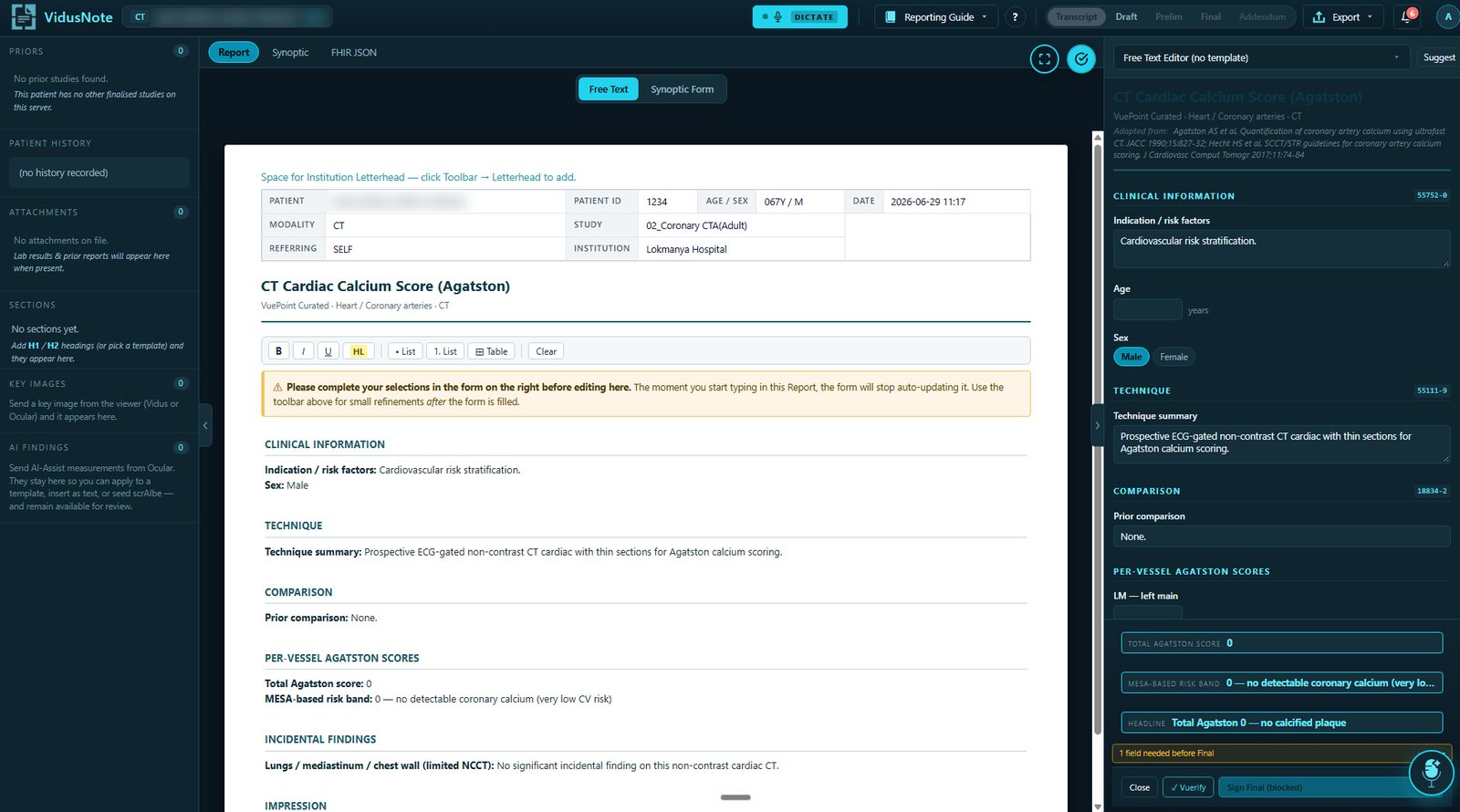
Four ways to report
- Dictation and free text, with multilingual input turned into professional English
- A large curated template library with @macros
- Structured synoptic forms with required-field gates
- AI speech-to-report
The findings bridge
Measurements taken in the viewer arrive in the report automatically and pre-fill matching synoptic fields. Every finding carries the series and slice it came from, so you can jump back to the exact pixel.
AI assist
Voice Edit, auto-impression, guideline follow-up (Fleischner, Bosniak, LI-RADS, RECIST) and Clean with AI. Opt-in and token-gated, never a mandatory per-report cost.
Consistency before you sign
Layer 1 rules are instant, deterministic and free. Layer 2 AI is opt-in and flags only; it never rewrites. If AI is off or unavailable, signing still proceeds. The check never blocks finalising.
Decision support inside the report
AJCC staging across 44 cancers; PI-RADS, TI-RADS, LI-RADS, Rotterdam, ASPECTS and volume calculators; AAST trauma grading; and a searchable 16,000-article reference glossary, available offline.
Lifecycle & sign-off
Transcript, draft, preliminary, final, addendum. Final locks permanently and attaches the signature block. An addendum preserves the original verbatim. Autosave throughout, with safe multi-user locking.
Report lifecycle
Every report moves through the same governed stages.
Role-based gates decide who can move a report forward. Finals are locked; corrections are made by addendum, so the signed original is never lost.
Transcript
Dictated or typed text captured against the study.
Draft
Edited, with key images and measurements inserted.
Preliminary
Ready for review or attestation.
Final
Signed and locked, with the signature block attached.
Addendum
Appended and timestamped; the original stays verbatim.
- F2 or mic to dictate
- Voice commands for macros, fields and stage changes
- Curated, synoptic, ready-made and custom
- Placeholders with tab-stops
- Centre letterhead on every report
- Picked up from the Vidus or Ocular inbox
- Inserted at the cursor
- Annotated images embedded in the PDF
Always proofread dictated text before signing.
Mobile and tablet: review and sign-off mode — primary diagnosis stays on the workstation.
AI assist supports the radiologist. Every report is reviewed and signed by a qualified doctor.